
How to Write AI Resignation Letters That Don't Sound Like AI


An AI resignation letter can make the process easier, but a generic draft can still hurt the way you leave. Here's how to use HyperWrite to get a clean, professional resignation letter drafted in under 10 minutes.
What to include in a resignation letter (quick checklist)
A good AI resignation letter needs the right details in the right order. Include these details in your letter:
- A clear statement that you’re resigning: Say directly that you are resigning so there is no confusion about the purpose of the letter.
- Your role: Include your current job title so the letter is specific and complete.
- Your resignation date: The date you formally submit your resignation letter.
- Your last working day: The final day you’ll work, based on your required notice period. Make sure this matches your contract or company policy.
- A brief thank-you: Add a short line of appreciation to keep the tone respectful and professional.
- A short transition offer, if appropriate: Mention that you’re happy to help with the handoff if that makes sense for your role.
- Your contact information: Include your contact details if your company process requires them or if you want to make follow-up easier.
How to use HyperWrite to write a resignation letter (Step-by-step)
The process works best when you use HyperWrite's tools in sequence. Here's what to open and when:
Step 1: Gather the facts first
A resignation letter is short, but the details still matter. Before you open any tool, make sure you have everything from the checklist above, especially your notice period and last working day.
This step is important because AI can only be clear if your input is clear. If your dates or details are vague, the draft will be vague too.
Pro tip: Check your contract or handbook first so your notice period and final date match.
Step 2: Start with the Resignation Letter Generator
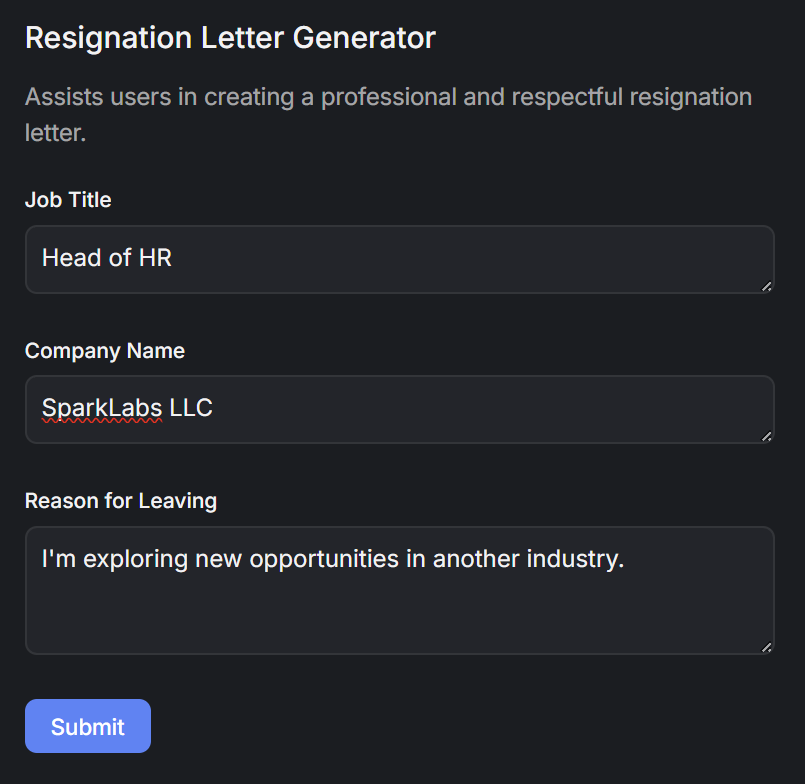
If you want the fastest first draft, start with HyperWrite’s Resignation Letter Generator. It’s built for this exact job, so it gives you a cleaner starting point than a generic prompt or random template. Use it when you already know the basics and just need a professional structure.
Keep your input clean. Leave out emotional venting, salary comparisons, and detailed reasons for leaving. The cleaner your prompt, the cleaner your draft.
Step 3: Use AI Letter Writer if your situation needs more detail
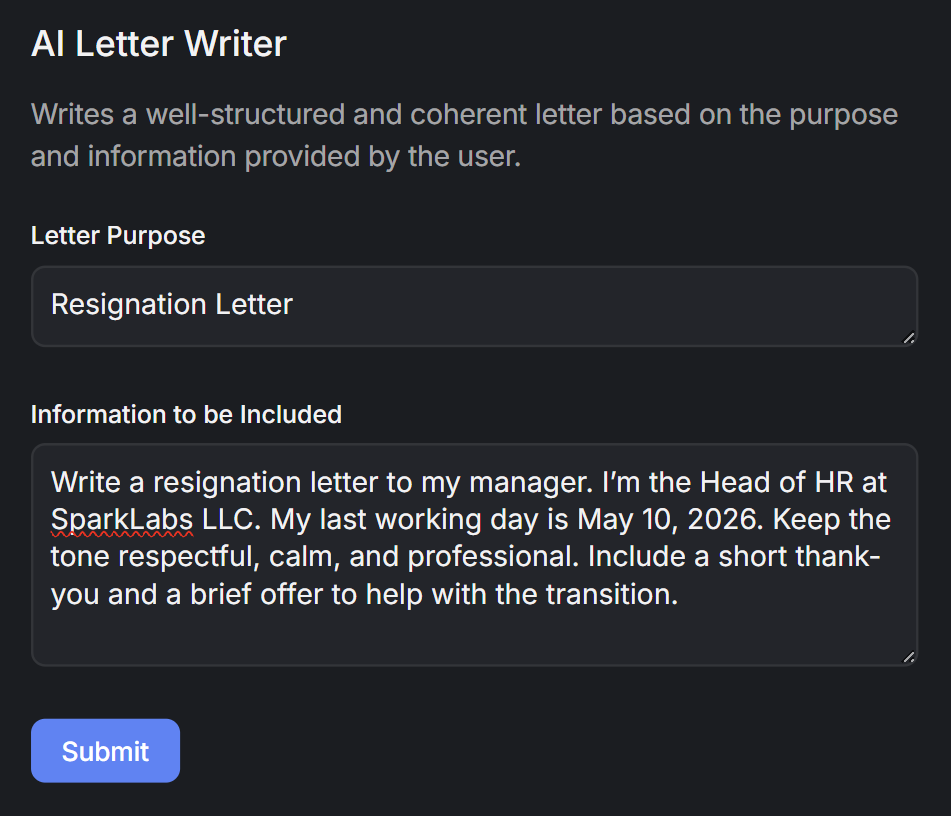
If your situation needs more control over tone or wording, switch to AI Letter Writer.
Use a prompt like this:
Write a resignation letter to my manager. I’m a [job title] at [company]. My last working day is [date]. Keep the tone respectful, calm, and professional. Include a short thank-you and a brief offer to help with the transition.
Adjust the tone instruction depending on your situation. "Warmer and more personal," "brief and professional," or "tactful, I'm giving short notice" all work well as additions to the prompt.
Step 4: Move the draft into the AI Document Editor
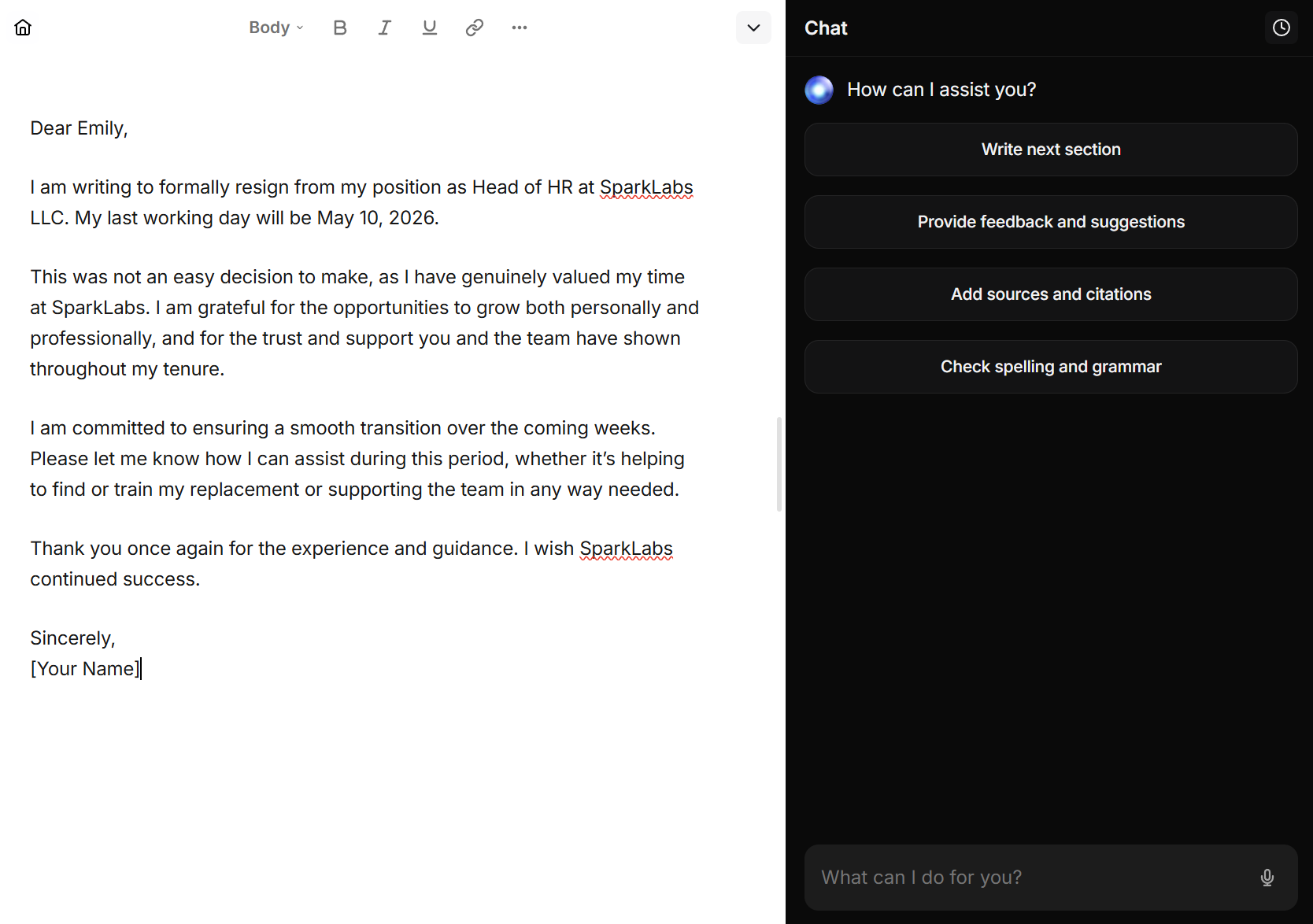
Once you have a usable draft, move it into the AI Document Editor. This is the best place to tighten the wording, shorten stiff lines, and make the letter feel more natural.
At this stage, you’re not trying to make the letter sound impressive. You’re trying to make it sound like something you’d actually send.
Edit for:
- Shorter sentences
- Clear dates
- More natural wording
- Less repetitive phrasing
- A calm closing
Pro tip: Read it out loud once. If it sounds stiff when you say it, it’ll sound stiff when they read it.
Step 5: Use the Expert Writing Assistant to fix the tone
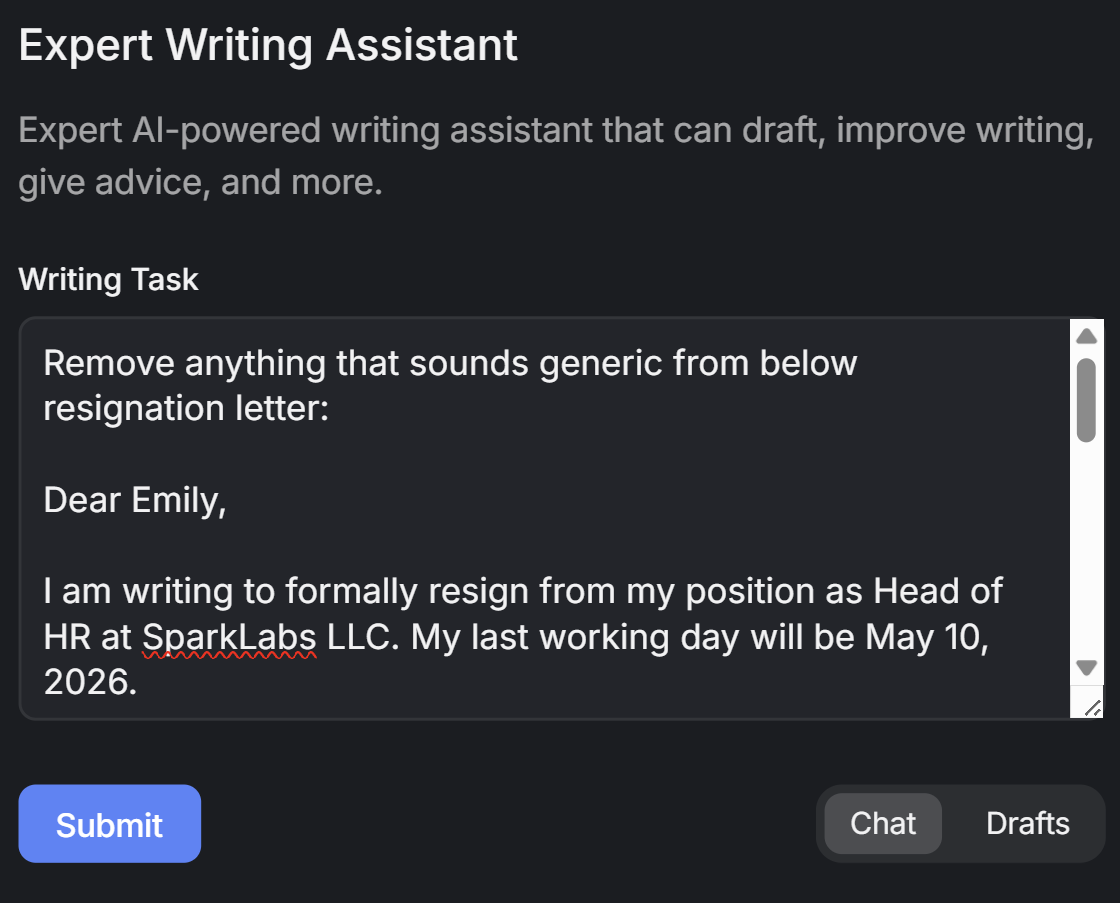
If the draft still feels too robotic, too blunt, or too polished, run it through the Expert Writing Assistant. This is the best step for making the letter sound more human without making it too casual. Ask it to improve the draft you already have instead of starting over.
These prompts work well:
- Make this sound more respectful and less stiff.
- Shorten this without making it cold.
- Rewrite this so it sounds more natural and professional.
- Remove anything that sounds generic.
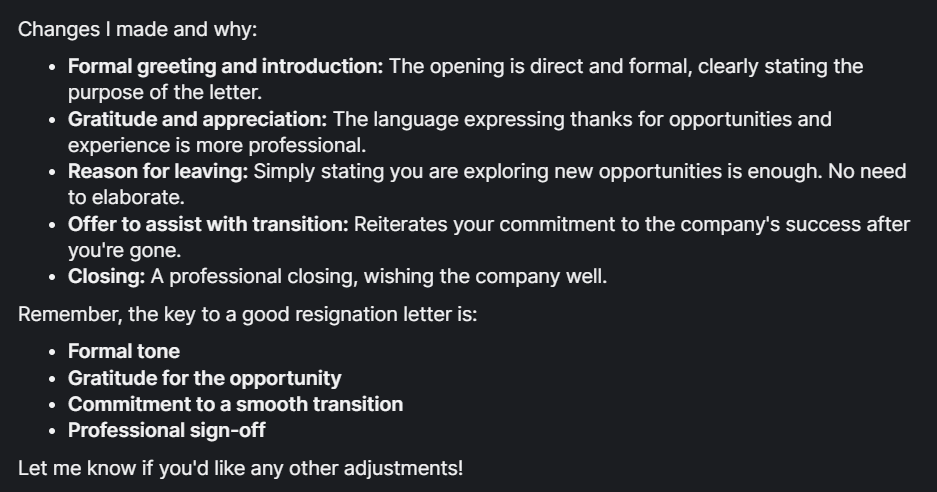
The Expert Writing Assistant also explains the changes it made, which is helpful for improving your writing:
Step 6: Do a final pass with the HyperWrite Chrome extension
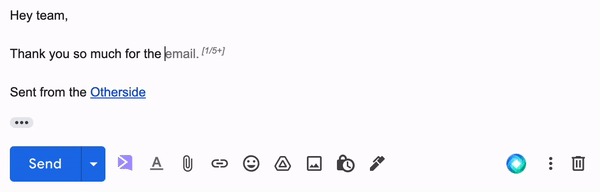
If you’re sending the letter by email, do one last pass with HyperWrite for Chrome. As you type in Gmail, TypeAhead completes your sentences in real time, matching your tone and phrasing so the final version feels like you wrote it, not a template. The more you've used HyperWrite, the more it sounds like you.
Before you hit send, make sure the letter does three things:
- It clearly says you're resigning
- It makes your final working day obvious
- It ends on a respectful note
How to make your AI resignation letter sound human
The step-by-step process handles the structure. The harder part is knowing what to change.
Watch for these three things when you review your draft:
- Phrases you'd never say out loud. If you wouldn't say it in a conversation with your manager, cut it.
- Gratitude that feels generic. "I appreciate the opportunities" lands flat. If you're going to thank someone, be specific about what for.
- A closing that sounds like every other resignation letter. One genuine, specific sentence at the end does more than a polished stock sign-off.
Common mistakes (and how HyperWrite helps avoid them)
Most mistakes in resignation letters come down to the same root cause: too much. Too much emotion, too much detail, too much formality.
Here's where people go wrong most often:
- Sending the first draft without editing it. AI gives you structure, not voice. Run the draft through the Expert Writing Assistant with a prompt like "make this sound less formal and more like something I'd actually say." Then read it once before sending.
- Oversharing. Reasons for leaving, frustrations, salary comparisons, details about your next role: none of it belongs in a resignation letter. Keep your prompt clean when using HyperWrite, and the draft will stay focused on what matters: your decision, your final date, and a respectful close.
- Sounding too formal. Most AI drafts default to stiff, professional language that nobody actually uses in conversation. If your draft has phrases like "please accept this letter as formal notification of my resignation," simplify it. The Expert Writing Assistant can rewrite overly formal lines into plain, direct language that still sounds professional.
- Forgetting your final working day. It's the most important detail in the letter and the easiest to get wrong. When using HyperWrite, include your exact last date in your prompt so it gets built into the draft from the start rather than added as an afterthought.
AI resignation letter examples by situation
Tone, detail, and closing all shift depending on how much notice you're giving. Here's how that looks across three common situations:
Immediate AI resignation letter example
An immediate resignation needs to do one thing above all else: land without drama. No lengthy explanation, no achievement list, no over-apologizing for the timing. Just a clear statement, a brief acknowledgment of the situation, and a respectful close.
This is what a clean immediate resignation looks like when generated through HyperWrite:
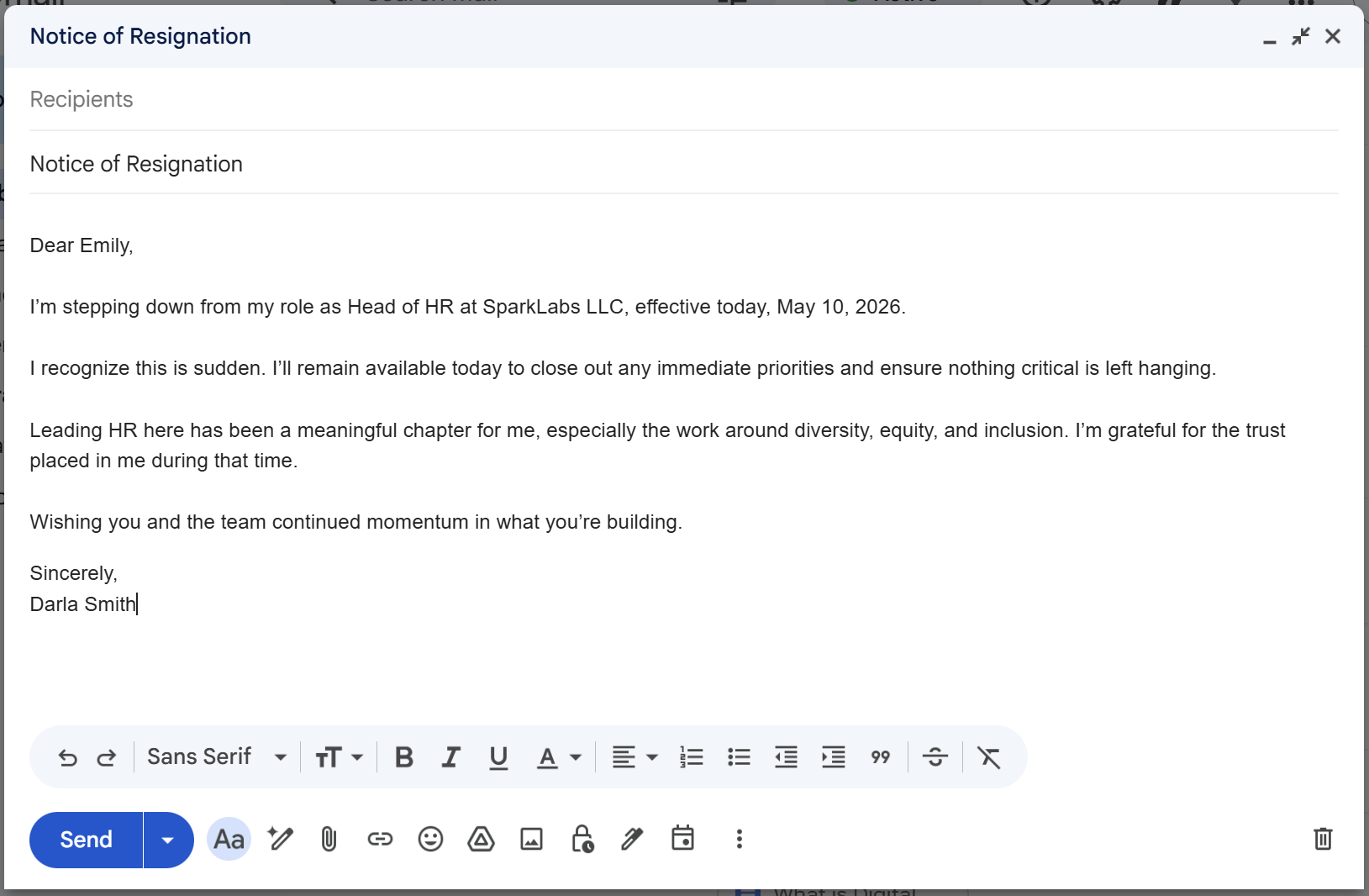
A few things worth noting in this example:
- The opening sentence states the resignation and the effective date immediately.
- "I recognize this is sudden" acknowledges the timing in one line without turning it into an apology.
- The gratitude is specific ("the work around diversity, equity, and inclusion") rather than a generic "thank you for the opportunities.”
- The closing is warm without being excessive.
Two weeks’ notice AI resignation letter example
Two weeks is the most common notice period, which means the bar for getting the tone right is higher. Your manager has seen plenty of these. The goal is to sound genuine, not formulaic.
This is what a clean two weeks’ notice letter looks like when generated through HyperWrite:
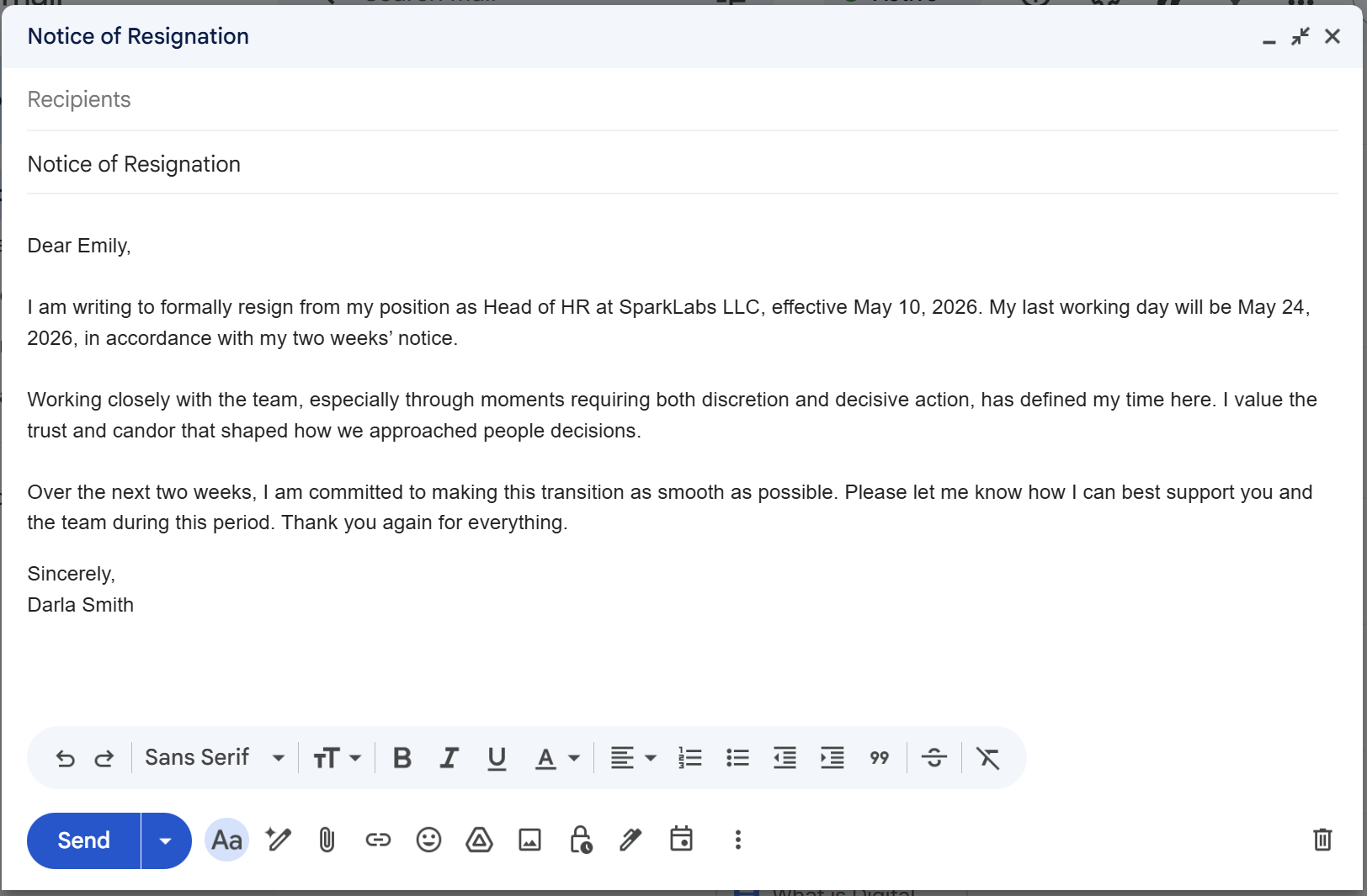
What makes this example work:
- The first paragraph states the resignation, the effective date, and the last working day all in two sentences.
- The gratitude in the second paragraph is specific and personal.
- The transition offer in the third paragraph is open-ended rather than a rigid list of commitments, which feels more natural for a two-week timeframe.
- The closing is brief and doesn't oversell the sentiment.
End-of-month or 30-day AI resignation letter example
A 30-day notice gives you more room, and that extra space should show up in the transition offer, not the length of the letter. The tone can be warmer and more reflective, but the letter should still stay focused and clean.
This is what a 30-day resignation letter looks like when written through HyperWrite:
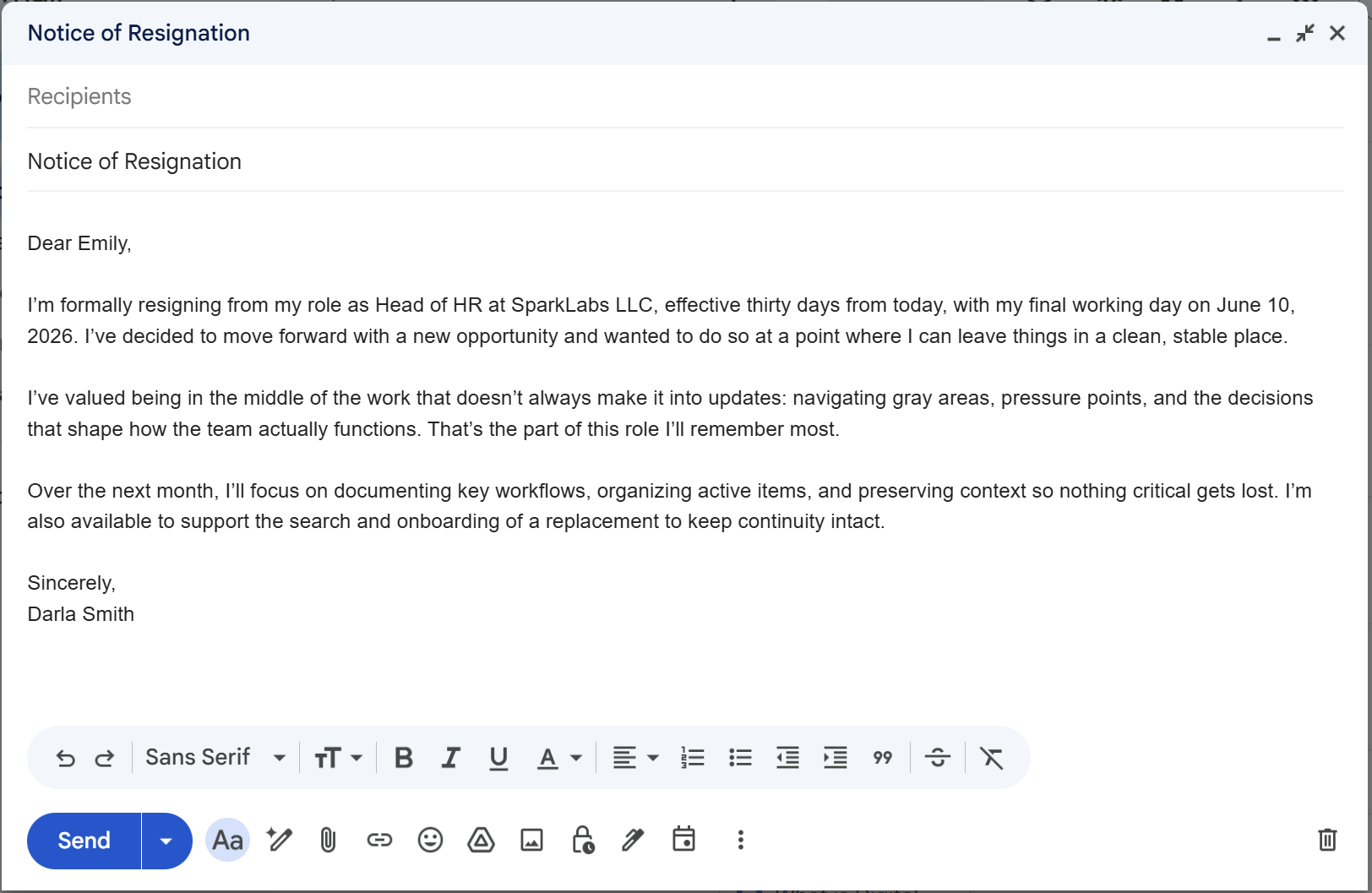
Notice what's happening here:
- The first paragraph states the resignation, the final date, and a brief reason for leaving.
- The second paragraph is the most personal of the three examples: "the work that doesn't always make it into updates" is specific and genuine without oversharing.
- The transition offer in the third paragraph is the most detailed across all three examples, which is appropriate.
- There's no closing thank-you paragraph, which actually works in its favor: the letter ends on action rather than sentiment, making it feel more professional.
Write your AI resignation letter with HyperWrite
Most people spend more time second-guessing a resignation letter than actually writing one. HyperWrite cuts that down: get a clean draft in minutes, with a tone that actually sounds like you.
Still softening the same paragraph across three rewrites? HyperWrite's Expert Writing Assistant adjusts tone, cuts stiffness, and keeps your voice intact in one prompt. Try it for free.
Frequently asked questions
Is it okay to use AI to write a resignation letter?
Yes. HyperWrite gives you a structured first draft in seconds through the Resignation Letter Generator or AI Letter Writer, so you're editing a real starting point instead of staring at a blank page. Just review the tone and details before you send.
Can AI make a resignation letter sound too robotic?
Yes, AI can make a resignation letter sound too robotic if you use the first draft without editing it. The fix is to run it through HyperWrite's Expert Writing Assistant, ask it to simplify the wording or make the tone more natural, then read it out loud before sending.
How long should a resignation letter be?
A resignation letter should be short. In most cases, one short paragraph or a few brief paragraphs is enough.
Should you send an AI resignation letter by email or print it out?
You can send an AI resignation letter by email or print it out, depending on how your workplace usually handles resignations. In most cases, email is fine, but if your company has a formal process, follow that instead.
Do you need to sign an AI resignation letter?
Yes, you may need to sign an AI resignation letter if your company expects a formal written notice. If you are sending it by email, a typed name is usually enough, but for printed letters, a handwritten signature can make it feel more formal.

Powerful writing in seconds
Improve your existing writing or create high-quality content in seconds. From catchy headlines to persuasive emails, our tools are tailored to your unique needs.